
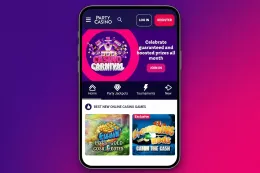
Three ways to play PartyCasino on a phone

An app is a program you install on your phone. It sits among your other apps and opens with one tap. PartyCasino offers this on iPhone and on Android, and the pages for the iPhone version and the Android version explain what to expect on each.
The mobile site needs no installation. You open PartyCasino in your phone's browser, the same way you open any website, and play from there. If you want to play in your browser, that page walks through the route.
Which one suits you is mostly a question of habit. If you play now and then, a browser keeps your phone uncluttered and leaves nothing to update. If you open the casino often, an icon on the home screen saves a few taps each time.
The way you open the casino has no effect on how games work. Every round is random, and an app does not change the odds, the paytable or the volatility of a game. Choosing between an app and a browser is a convenience decision and nothing more.
App or browser: what actually differs

The practical differences are about your phone, not about the casino.
An app takes up storage space and needs updating from time to time. It can also ask for permissions, such as sending notifications, so read each request and say no to anything you do not want. A browser uses no extra storage, always opens the current version of the site and leaves no permissions to review, but you have to find the site each time unless you bookmark it.
The iPhone and Android apps differ mostly in where they come from. iPhone apps are installed through the App Store. On Android, the safe route is an app store listing or the route the casino points you to, and never a file from anywhere else. The Android app page covers this in more detail.
Both app routes suit a player who opens the casino regularly and wants it close at hand. The browser suits a player who wants to try PartyCasino on a phone without committing to anything, or whose phone is short of space.
The comparison comes down to storage, updates, permissions and how quickly you can open the casino. Pick the route that fits those, and do not expect the games themselves to play differently.
18+ · T&Cs apply
How to choose where to start

Start with the question that matters most to you.
- Is your phone short of storage? Use the mobile site.
- Do you want PartyCasino one tap away? Install the app for your phone.
- Do you share your phone or tablet with family or friends? A browser tab you can close, or a bookmark you can remove, is easier to keep private than an app icon sitting on the home screen.
- Do you only want to take a look first? Use the mobile site, then add the app later if you find you open it often.
You are not locked into your first choice. Trying the browser route first costs nothing and leaves nothing on your phone, and if you later install an app, the browser route is still there whenever your phone is low on space or you are using a different device.
Whatever you pick, read the terms of any offer before you deposit, and check that the amount is one you can afford to lose.
Practical tips for playing on a phone

Lock your phone with a passcode or biometric lock and never leave it unlocked and unattended while you are signed in. If you play on a shared device, sign out when you finish.
Use a strong password that you do not use anywhere else, and never share your login details with anyone, including in reply to a message or an email that asks for them.
On mobile data, a long session can use up your allowance, and a weak signal can interrupt a round, so a stable Wi-Fi connection is the more comfortable choice. Avoid playing on public Wi-Fi networks you do not know.
Set a deposit limit before you pay in, and use the account's time-out tools if you want a break. These tools are there for you to use at any point, and the safer gambling page explains them.
Keep notifications under control too: if the casino sends alerts, switch them off when they start to push you to play more than you planned. Finally, update your phone and your apps when updates are offered, and install apps only through an app store or the route the casino itself points you to.