
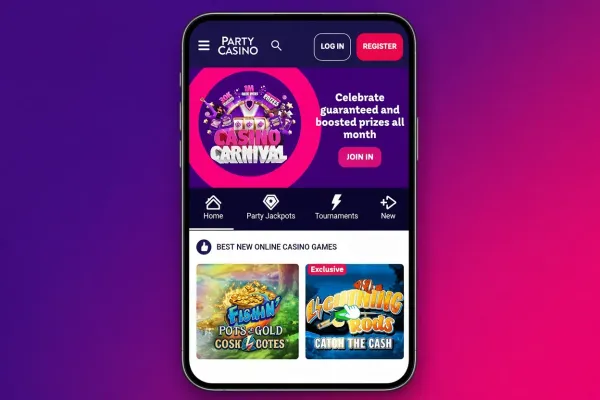
The PartyCasino app for iPhone exists, so you can play on an iPhone either through the iOS app or in Safari on the mobile site. This page covers what to expect from the iPhone app and how to install it without taking risks with your phone or your account.
Playing PartyCasino on an iPhone

An app puts PartyCasino on your home screen, so you open it with one tap instead of searching for the site each time. That convenience is the main reason to install one. It does not change how the games work: every round is random, and playing through an app gives you no better or worse odds than playing in a browser.
A phone screen is smaller than a desktop one, so text and buttons can look different from the desktop version. It is worth getting used to the layout before you deposit anything, and checking amounts carefully before you confirm a payment, because taps are easier to get wrong on a small screen than clicks with a mouse.
The iPhone app is one of three routes. Android owners have their own Android app, and the mobile site works in a phone's browser. If your iPhone is short of storage, or you would rather not keep another app installed, the browser route is a sensible alternative.
How to install the iPhone app

iPhone apps are installed through the App Store. Use the Open on iOS button at the top of this page, or visit PartyCasino and follow the route it gives you to the iOS app. Starting from the casino's own route means you do not have to search for the app yourself and risk picking a lookalike.
Before you tap Get, check that the listing is the casino's own and that the publisher matches the casino or its operator. Never install an app from a link in a message, an email or an advert, and never follow instructions to install anything from a source you do not recognise. Fake casino apps exist, and they are one of the easiest ways to lose login details or payment information.
Once the app is installed, sign in with your own account details and keep them private. Read any permission the app asks for, such as notifications, and say no to anything you do not want.
Practical points on a phone

Lock your iPhone with a passcode, Face ID or Touch ID, and do not leave it unlocked where somebody else can pick it up. If someone else uses your phone, sign out of the casino when you finish playing.
Watch your mobile data. Games and live video can use a fair amount, and a weak signal can interrupt a round, so a stable Wi-Fi connection is usually the more comfortable choice. Avoid playing over public Wi-Fi networks you do not know.
Set a deposit limit in your account before your first payment, and use the account's time-out tools if you want a break. UK-licensed casinos must offer these tools, so look for them in your account before you play.
Keep iOS and your apps updated when updates are offered, because updates close security gaps.